 Pairbook
Never lose a setup code again.
To re-pair a smart home accessory you need its setup code, and it’s always on a sticker behind something screwed to the wall. Pairbook keeps every HomeKit and Matter code with the accessory it belongs to, on your iPhone, iPad and Mac.
Coming soon to the App Store See how it worksFree for up to 15 codes. One payment for everything else. No subscription.
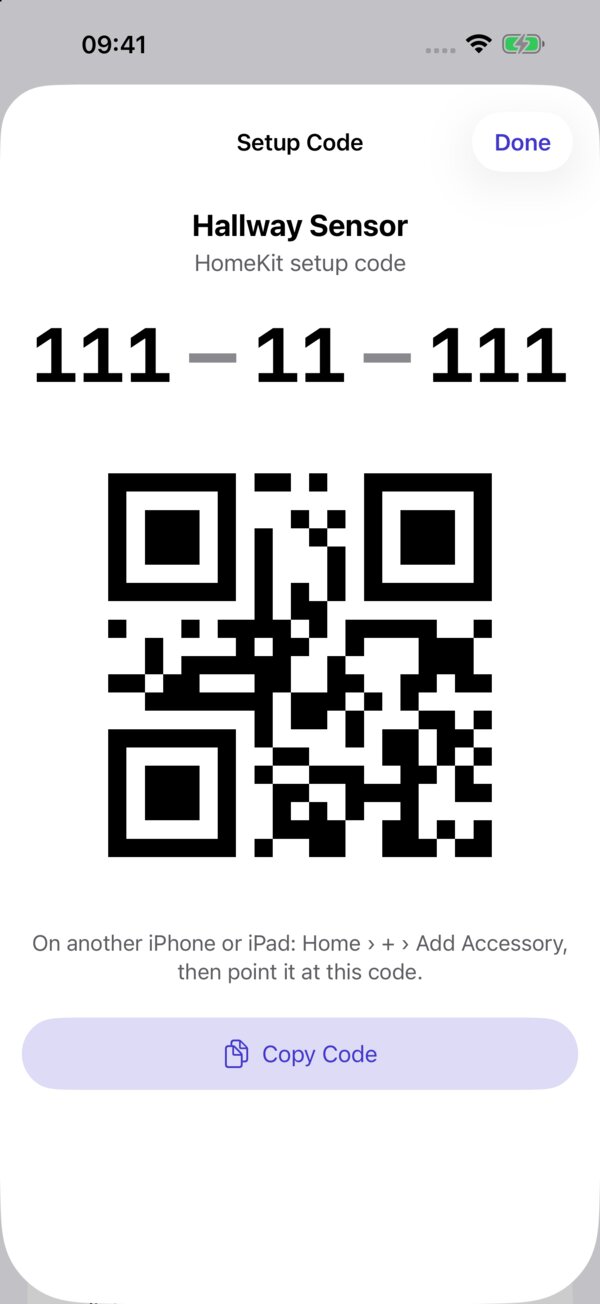
Scan once. Keep it for good.
Apple Home can’t show you a setup code again, and no app can read it from your home. So Pairbook makes capturing every code quick, and finding it later instant.
Scan any code
HomeKit and Matter QR codes, or the printed digits, even on a scuffed or shadowed label. Each code is checked, and a misread digit is caught before it’s saved.
Linked to the right accessory
Pairbook suggests which accessory a code belongs to, and spots re-paired accessories so codes stay linked. Spares and removed accessories keep their codes too.
See what’s missing
“31 of 38 accessories have a code.” Bridges count once: lights behind a hub are covered by the hub’s code.
Ready when you need it
The code large, and the original QR code redrawn on screen, so the Home app on another device can scan it straight off your iPhone, iPad or Mac.
Everything else you lose
Photos of the sticker, box and receipt. The manual. Warranty, battery type and reset steps, with reminders before a warranty ends or a battery is due.
Private and locked
Hidden until Face ID or Touch ID. Synced through your own iCloud with codes end-to-end encrypted. No accounts, no servers, no tracking.
A closer look
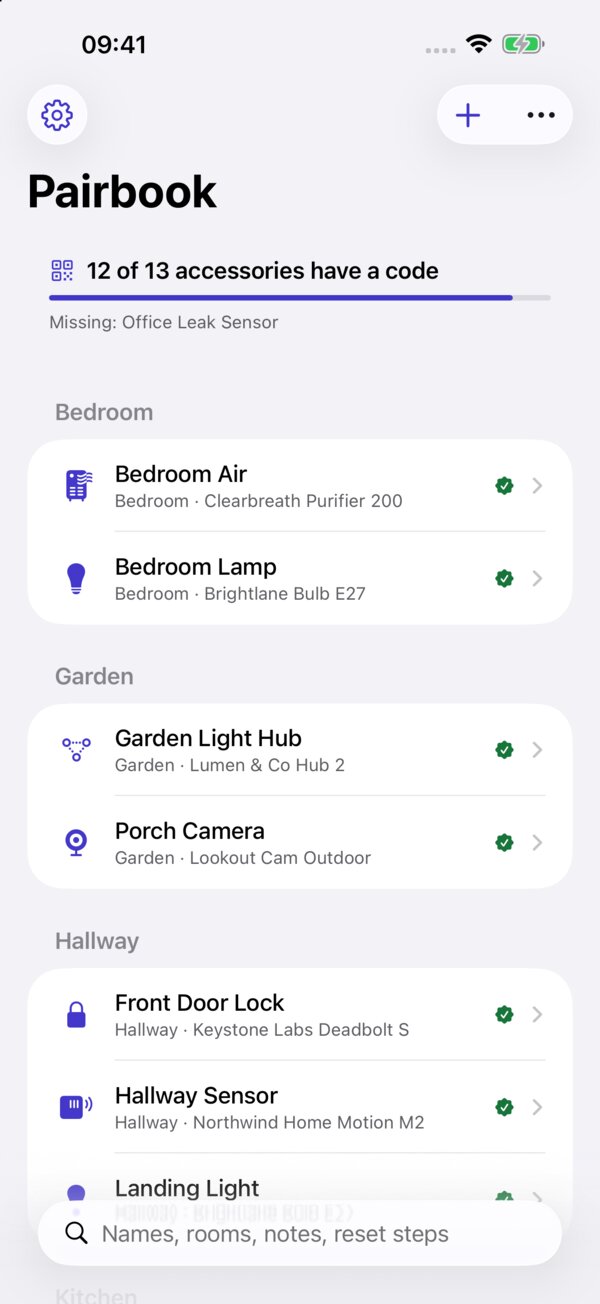
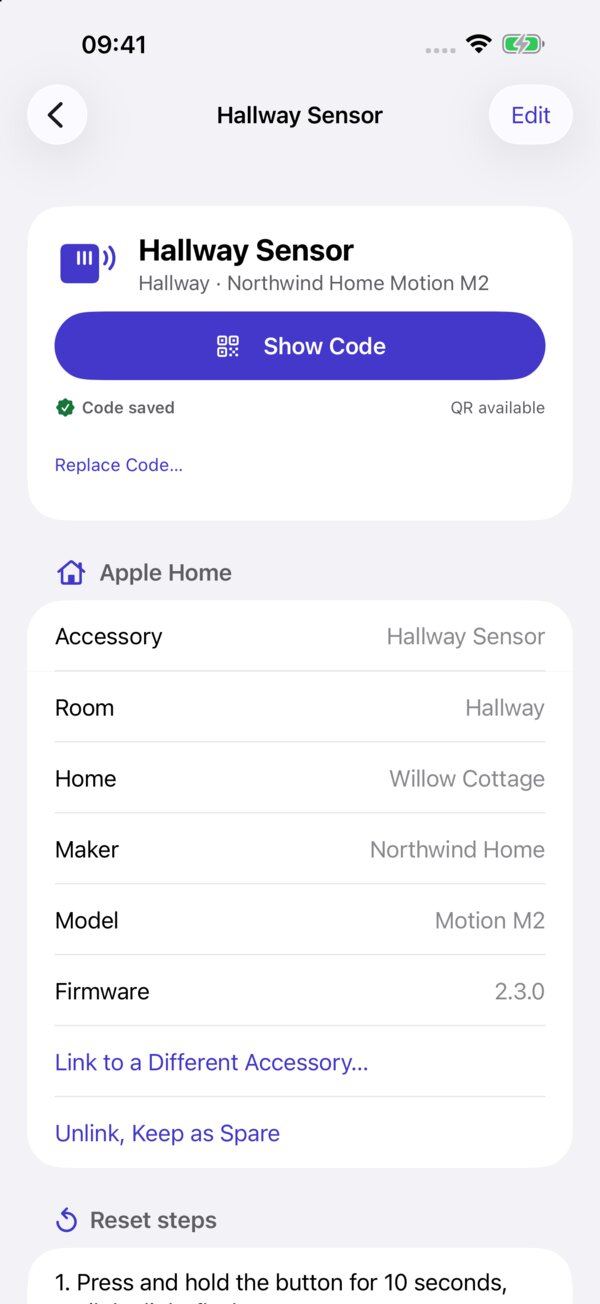
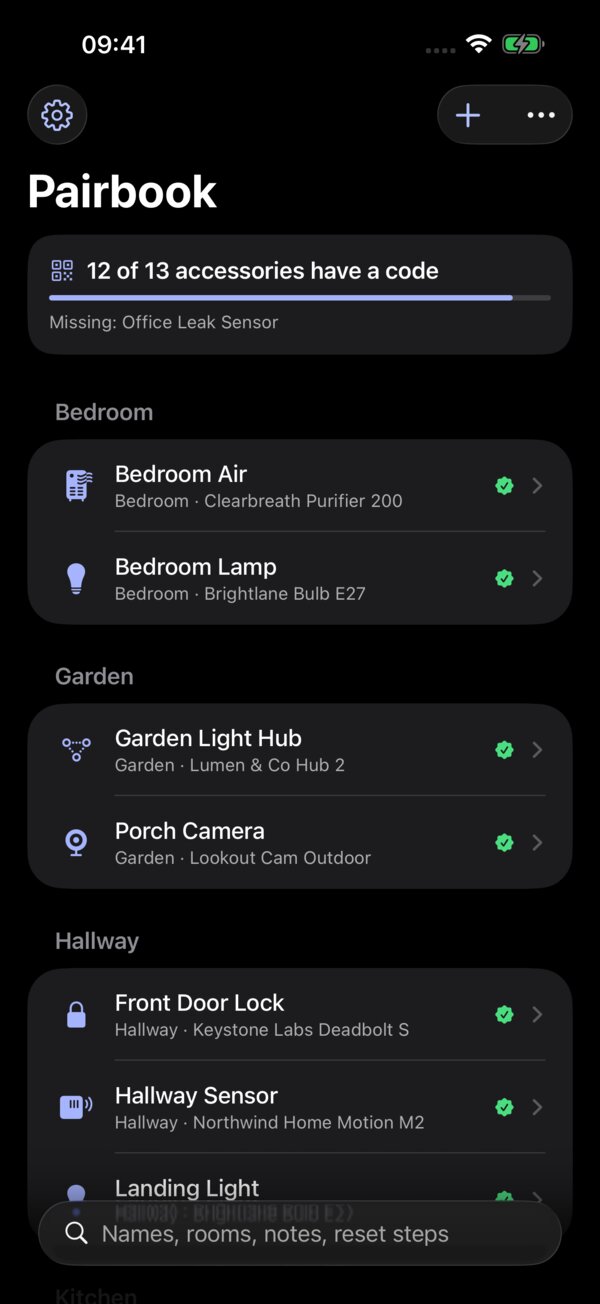
Screenshots show an invented sample home. Its codes can’t pair anything.
Simple pricing
A one-off purchase, because you shouldn’t pay every month for something you open when an accessory needs re-pairing.
Free
Scanning, linking and viewing codes for up to 15 accessories, the lock and search. Nothing is ever hidden or deleted if you go over.
Pairbook Pro: one payment
- Unlimited codes
- Photos, manuals and attachments
- Purchase, warranty and battery details, with reminders
- The printable home binder and CSV export
- Sync to your iPad and Mac
One purchase covers iPhone, iPad and Mac. Family Sharing included.
Also from Mark: Housecall
Housecall keeps a history of your Apple Home and tells you when something drops off, a battery runs low or your Thread network struggles. Pairbook has the code to bring it back. Housecall on the App Store.